

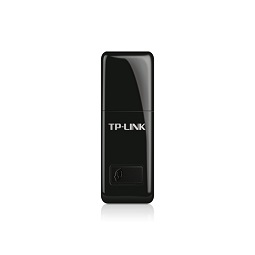
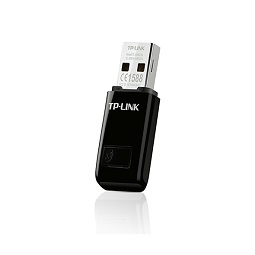
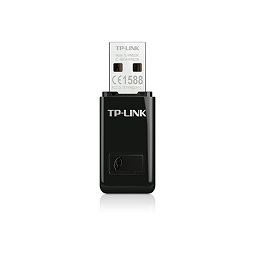
TP-LINK 300Mbps Mini Wireless N USB Adapter
9 in stock
- 300Mbps wireless speed ideal for smooth HD video, voice streaming and online gaming*
- Mini-sized design for convenient portability with a reliable high performance
- SoftAP Mode – Turn a wired internet connection to a PC or Laptop into a Wi-Fi hotspot
- Easily setup a secure wireless connection with one-touch WPS button
₦8,000.00 ₦9,000.00
9 in stock
Compare| HARDWARE FEATURES | |
|---|---|
| Interface | USB 2.0 |
| Button | Wi-Fi Protected Setup (WPS) Button |
| Dimensions ( W x D x H ) | 1.54 x 0.72 x 0.31 in. (39 x 18.35 x 7.87mm) |
| Antenna Type | Internal |
| WIRELESS FEATURES | |
|---|---|
| Wireless Standards | IEEE 802.11b, IEEE 802.11g, IEEE 802.11n |
| Frequency | 2.400~2.4835GHz |
| Signal Rate | 11b: Up to 11Mbps(dynamic) 11g: Up to 54Mbps(dynamic) 11n: Up to 300Mbps(dynamic) |
| Reception Sensitivity | 300M: -65dBm@10% PER 270M: -65dBm@10% PER 130M: -68dBm@10% PER 108M: -68dBm@10% PER 54M: -72dBm@10% PER 11M: -85dBm@8% PER 6M: -87dBm@10% PER 1M:-93dBm@8% PER |
| Transmit Power | <20dBm (EIRP) |
| Wireless Modes | Soft AP Mode Client Mode (support Ad-hoc/Infrastructure network) |
| Wireless Security | 64/128-bit WEP WPA-PSK / WPA2-PSK WPA / WPA2 |
| Modulation Technology | DBPSK, DQPSK, CCK, OFDM, 16-QAM, 64-QAM |
| OTHERS | |
|---|---|
| Certification | FCC, IC, RoHS |
| Package Contents | Wireless Adapter TL-WN823N Resource CD Quick Installation Guide |
| System Requirements | Windows 11/10/8.1/8/7/XP (32/64bits), Mac OS X 10.9~10.13, Linux 2.6.24~4.9.60 |
| Environment | Operating Temperature: 0℃~40℃ (32℉~104℉) Storage Temperature: -40℃~70℃ (-40℉~158℉) Operating Humidity: 10%~90% non-condensing Storage Humidity: 5%~90% non-condensing |
*Maximum wireless transmission rates are the physical rates derived from IEEE Standard 802.11 specifications. Range and coverage specifications are based upon test results under normal usage conditions. Actual wireless transmission rate and wireless coverage are not guaranteed, and will vary as a result of 1) environmental factors, including building materials, physical objects and obstacles, 2) network conditions, including local interference, volume and density of traffic, product location, network complexity, and network overhead and 3) client limitations, including rated performance, location, connection quality, and client condition.
**To ensure compatibility, you may need to update the adapter’s drivers after an OS update. You can find our latest drivers in the download center at tp-link.com/en/download-center.
There are no reviews yet.